Table of Contents
This guide covers how to submit content for risk review using the Marketing Compliance feature in IntelligenceBank.
Creating a New Record
- Navigate to a Marketing Compliance enabled database.
- Click +Add to create a new record.
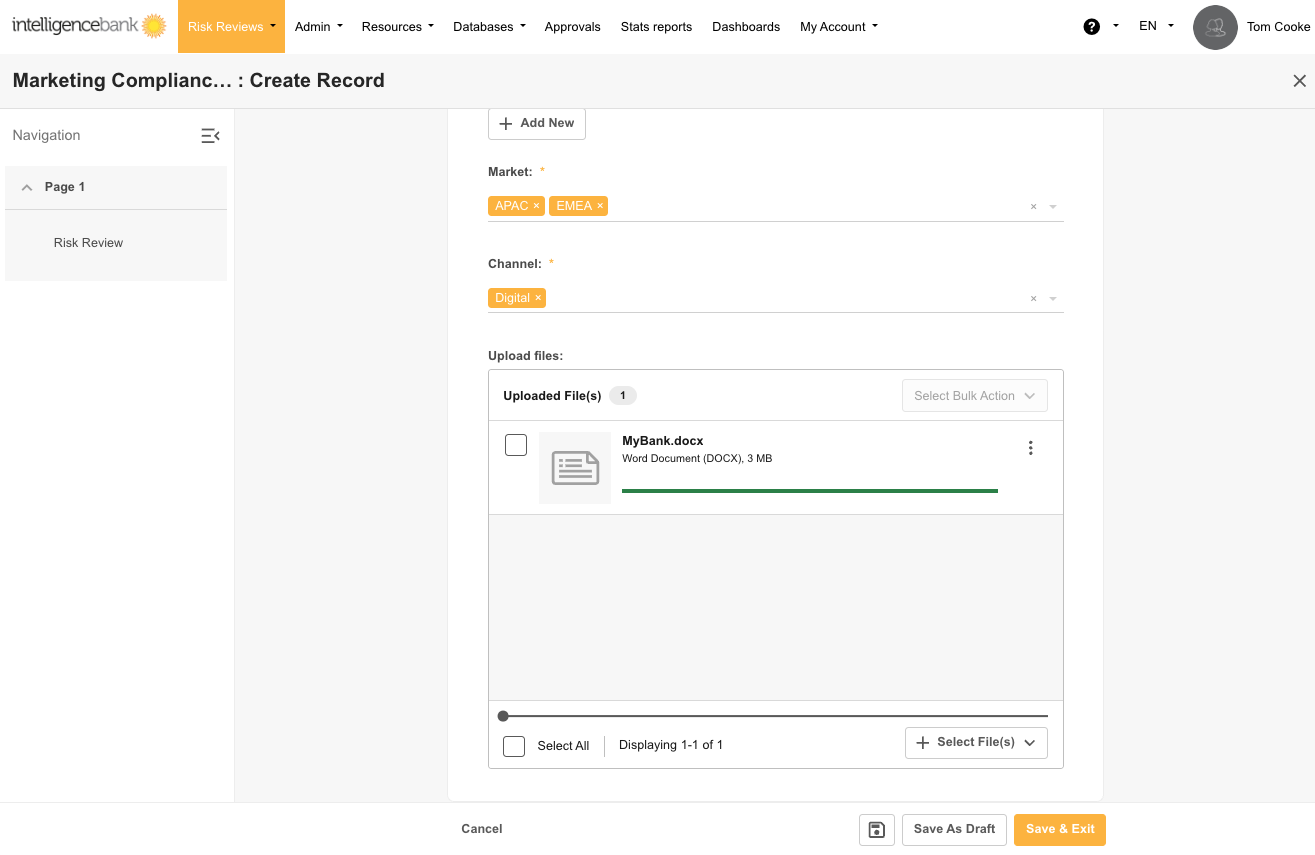
- Fill in the required information and pay special attention to any dropdown, radio button, or checklist fields. These fields may be part of your Risk Review Filters: custom filters set up according to your organisation's requirements (common examples include Channel, Market, and Region).
- These fields determine which compliance rules will be applied.
- Be accurate with your filter selections to ensure relevant rules are applied.
Uploading Files for Risk Review
- In the Risk Review upload field, click Browse to upload, or drag and drop your files.
- Click Save to submit the files for risk review.
- If Auto-Review is enabled in your database's template or form settings, risk scanning will begin automatically.
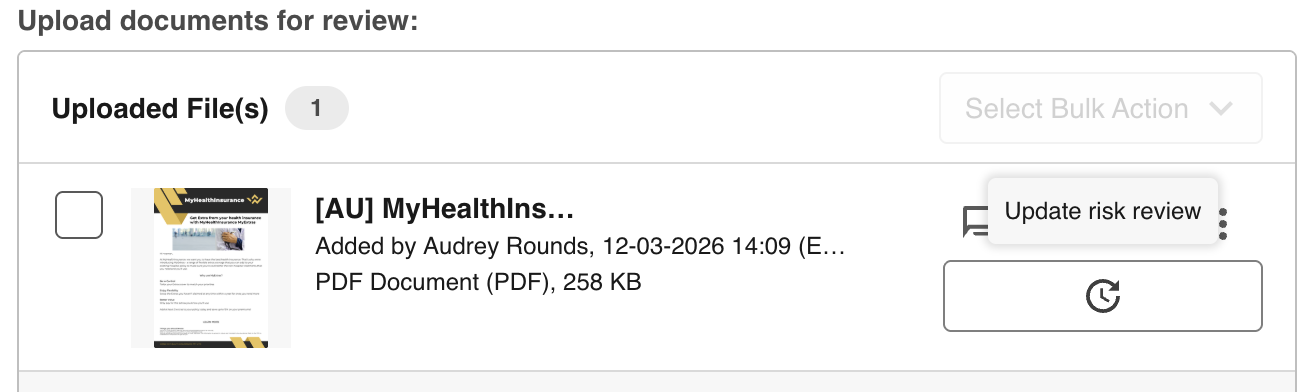
- If Manual mode is enabled in your database's template or form settings, you'll need to click the Risk Review button on the list of uploads.
Understanding Status Indicators
After submitting content for risk review, you'll see one of the following status indicators or buttons.
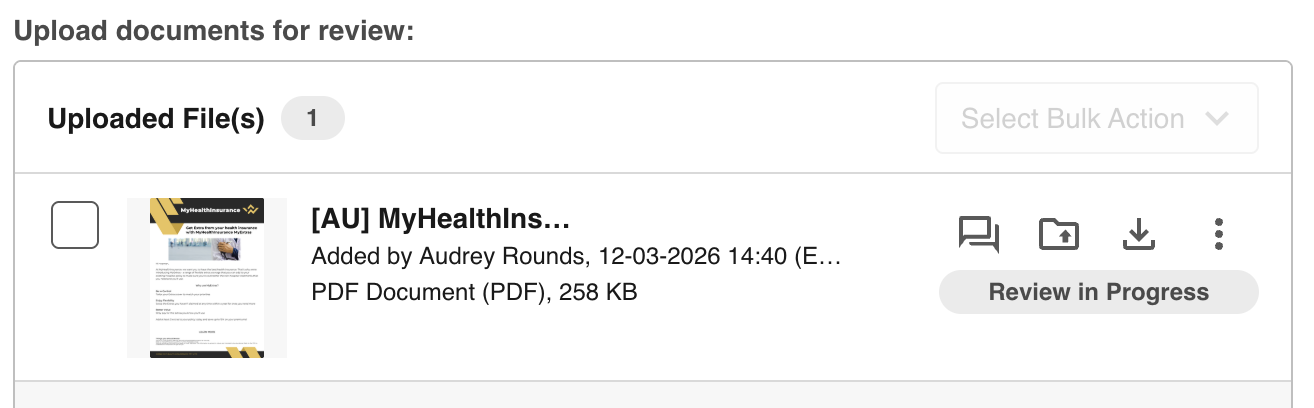
Review in Progress
Risk Review is currently running on the uploaded files.
Risk Review Button
If Manual Risk Review is enabled, you'll need to click the button shown below to send the files for risk review.
No Indicator
Risk Review is complete. Click into General Markup Comments to view the results.
After Submission
Once your content is submitted for risk review:
- Wait for the risk review process to complete.
- When complete, click the General Markup icon to view identified risks.
- Review and address any identified compliance issues. For more on understanding, reviewing, and working with identified risks, see:
- Upload file revisions as needed.
- Request approval (if configured) once content meets all compliance requirements.
Document Preparation Best Practices
To get the best results from Marketing Compliance risk reviews:
- Content format. Submit content in a near-final state, including all details of the offer, applicable disclaimers, layout, and images.
- File creation.
- For PDFs, use the Export or Save As function from the original application. See How to create Optimal PDFs.
- For Word and PowerPoint, use Export to PDF rather than Print to PDF for better results.
- Avoid scanning printed documents when possible.
- Converting spreadsheets.
- For Excel files, see How to convert Excel for Risk Scanning.
- For Google Sheets, see How to convert Google Sheets for Risk Scanning.
- Resolution. The recommended resolution for images and PDFs for accurate text detection is 1024 x 768.
- Placeholders. Placeholder elements (such as <offer_date> or <xx December 2023>) are acceptable as long as no rules are designed to flag on unspecified variables.
- Multiple campaigns. For best results, upload one file per asset per campaign. If a single file contains multiple campaign assets, ensure there is only one asset per page.
- Bulk uploads. If you upload more than one file, ensure the filter selection is applicable to all files uploaded.
Supported File Types
Common File Types
- Word documents: DOC, DOCX
- PowerPoint presentations: PPT, PPTX
- Images: JPG, JPEG, PNG
- Video transcript: MP4, MOV
- Audio transcript: MP3
- Video visual risks (coming soon)*
Other Supported File Types
- Text-based: TXT, RTF, XML, SXW, ODT, SRT, VTT
- Presentations: KEY, ODP, PPTM, SXI
- Web and creative formats: HTML, HTM
- Select public URLs or publicly hosted PDFs, images, DOCXs, PPTs, or HTML files.
We are actively expanding support for additional file formats.
File and Size Limitations
- Maximum of 50 files per upload field
- Maximum of 300 pages per file
- Document size limit: 256MB
- Images embedded within a document 10-25MB.
- Note: if an embedded image is above the threshold the entire document may fail to review, you will need to re-upload the document with the images reduced in size or removed.
- Images embedded within a document 10-25MB.
- Image size limit: 20MB
- This includes if the images are contained in a Document
- Video (Including Audio): 2GB maximum, 5 minute maximum.
- Audio: 2GB maximum, 60 minute maximum
Was this article helpful?
That’s Great!
Thank you for your feedback
Sorry! We couldn't be helpful
Thank you for your feedback
Feedback sent
We appreciate your effort and will try to fix the article