Thumbnail display in records allows you to have an image displayed against each database record.
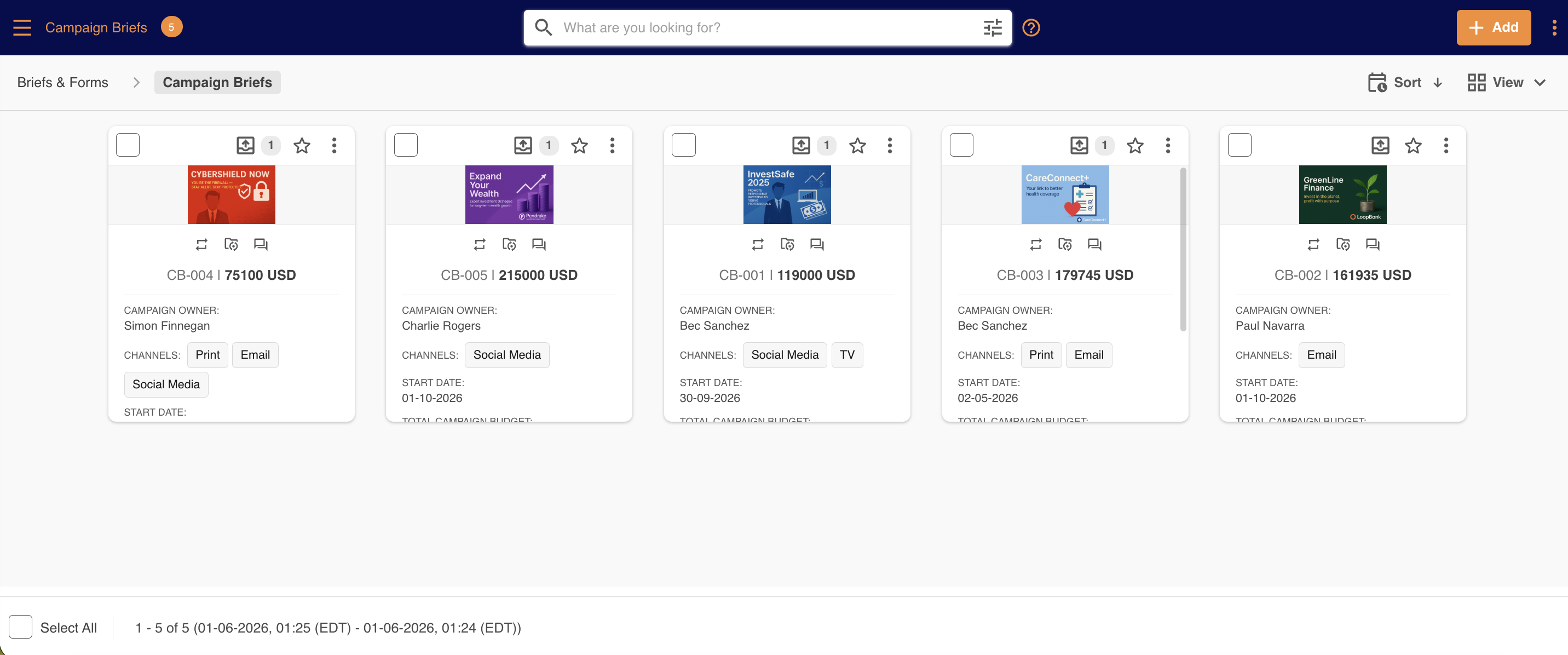
This can be done by creating or editing a single upload field in a form and selecting Images in the File Type Restrictions field and then enabling the Use As Thumbnail setting. Then, select Save & Close to save your changes.
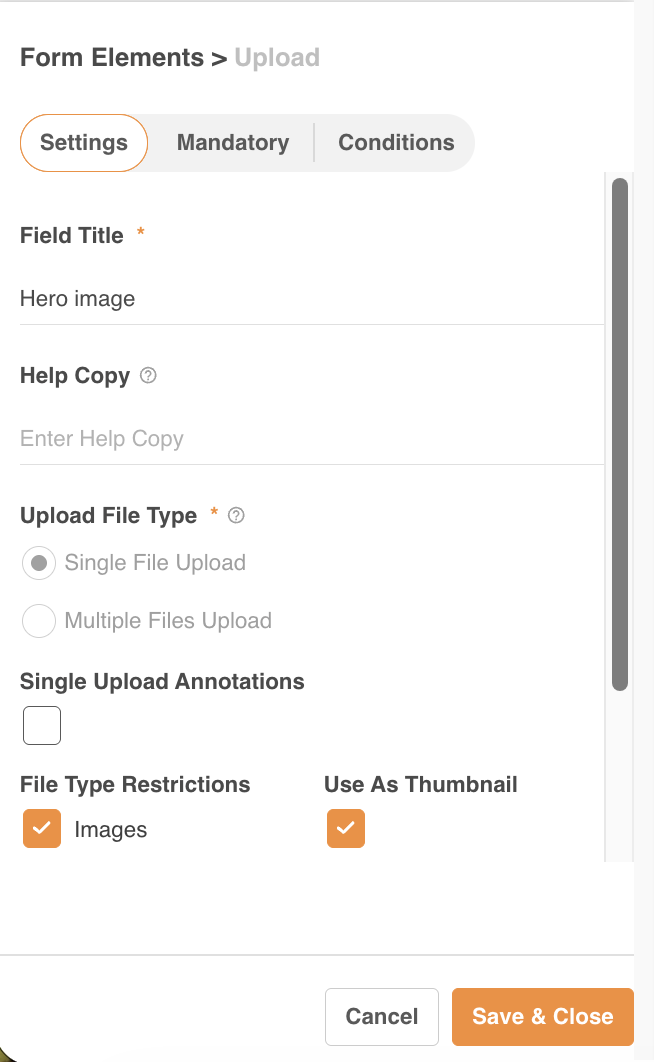
Once saved, if an image has been uploaded to a record, it will display as the record's thumbnail.
Please note that the Database/Record module terminology referenced above may appear as another name in your platform as these are customisable. You can see comparable terms here.
Was this article helpful?
That’s Great!
Thank you for your feedback
Sorry! We couldn't be helpful
Thank you for your feedback
Feedback sent
We appreciate your effort and will try to fix the article